Posts

Can The Internet Be Destroyed?

Image
  Internet is one of the places where people spend lots of time. They spend their most of time using Facebook, Instagram, YouTube, Google, etc. We can use everything on the Internet. But, can these things be destroyed or shut down? or Can the whole Internet be shut down? As we all know, the Internet is a place where everyone is posting and consuming something. Lots of people are posting articles and news on their website, lots of people are posting photos and videos on Facebook, YouTube, Instagram, etc. In short, everyone is doing something to be a part of the Internet. Even the article you are reading right now is a part of the Internet. And the website owner has the power to delete or shut down their product, article, etc from the Internet. Can the whole Internet be shut down? It is kind of impossible to destroy the Internet. Because everyone is feeding something and becoming a part of the Internet. Facebook have its Facebook app, Instagram, Whatsapp, etc which is apart of the In...

4 Website To Use If You Use The Internet

Image
  Internet is an awesome place. You can find almost everything you want. In that everything, you can also find some bad things like a virus, malicious app, etc. and to be safe from all those malicious files and things, below I have mentioned 4 Website to be safe on the Internet. VirusTotal.com VirusTotal.com is a website that analyzes the files/URL link and detects if there are viruses and malicious files or not. You just need to upload the file/app or the URL of the website to check it. You should use this website if you download files and apps from different websites.   haveibeenpwned.com HaveIBeenPwned.com is a website that will check if your email account is hacked/compromised or not. If you ever find something suspicious on your account like someone is trying to log in or someone is accessing your account and changing information then you must check this website. who.is Who.is is a website that stores the registered information of domain name and IP. You can check the inf...

Apple Supplier Hacked By REvil, Hacker Groups Claims For $50 Million From Apple

Image
  Recently a hacking group called REvil hacked the Apple Supplier Quanta Computer. Quanta Computer Inc. is one of the Apple hardware manufacturers. This hacking group is claiming $50 Million from Apple. REvil Hacking group claims that they have all the confidential information and blueprint of upcoming Apple products like upcoming iPhones, Mac, and other Apple gadgets. They got all this information after hacking Quanta Computer Inc., which is the manufacturers of Apple Computer. This hacking group has threatened Apple to pay $50 Million or they will publish all the upcoming Apple products blueprint. Quanta said that they are working with law enforcement to solve this issue.

5 Awesome Computer Shortcut Key Tricks You Must Try

Image
  A computer is a cool machine. You can do lots of stuff on it. You can even become cooler after knowing these 5 Short Cut Key tricks given below. Minimize All Open Windows/Program At Once If you are in hurry and want to minimize all the open programs on your computer at once. Then, you should press the Win+D key from your keyboard. After this, all the open programs will minimize. You can maximize all the programs again by pressing the same key combination Win+D . Open Windows Settings Quickly There is also one shortcut key to open Windows OS Settings. If you press the Win+I key from your keyboard the Settings will open. Shut Down Your Computer Quickly Many people usually shut down their computer using a mouse. But, there is also a shortcut key to shut down the computer real quick. If you press the Alt+F4+Enter key your computer will shut down. Lock Your Computer If you press the Win+L key from your keyboard your computer will be locked. This shortcut key is one of the useful sh...

What Age Should A Child Get A Smartphone?

Image
  A smartphone is a great tool for doing timepass by using social media and playing games, for learning new things and skills through Internet, etc. Usually, adult and college students use a smartphone. But, right now many teenagers and children are demanding a smartphone from their parents. Should parents provide smartphones to their children at a young age? At what age parents should give a smartphone to their children? Should parents provide smartphones to their children at a young age? Yes and No. It's a debatable question. Some parents provide a smartphone to their children at a very young age and some parents provide a smartphone to their children when they are in college. By using a smartphone your children can learn a lot of new things through the internet. He/she can be updated with the current world through the internet. He/she can easily communicate with you and his/her friends for help and other things. And lots of good things your children can do using a smartphone. Bu...

Don't Install Whatsapp Pink

Image
  A new Whatsapp Pink scam is circulating right now. Whatsapp Pink is a scam app that will give access to your smartphone information to the hacker. If you have received any message on Whatsapp like download this app for getting Pink Theme on Whatsapp or some extra features on Whatsapp then just ignore that message and you can even report that message. You should never click that link and download that malicious scam app. Many People are even forwarding the scam app link on Whatsapp. Don't be a fool, Never forward the random link to anyone because you can be the reason for spreading this scam. You should always download and update an app if you officially get updates from the company or trusted sources like Playstore and Appstore. Never download an app for unknown or third-party unsafe sources.     Share this News With Every Whatsapp User right Now.

Why Smartphone Battery Drains Even When You Are Not Using It?

Image
Most of us have noticed that the battery percentage of the smartphone decreases even when we are not using it, right. Have you ever wonder why our smartphone battery drains even when we are not using it? Like it really put us in trouble when we are traveling and our smartphone battery percentage is around 3-4% and it decreases automatically and the smartphone battery becomes dead. Why Smartphone Battery Drains Even When You Are Not Using It? The smartphone battery drains even when we are not using it because our smartphone still does some tasks when it is not in use. It does some tasks in the background that consume processing power, RAM, and battery power. Some of those tasks are like managing Time And Date correctly, trying to connect and communicate with the Network tower because of the SIM card, and managing the operating system, etc. Because of these tasks, the processor and RAM are used and because of the processor and RAM uses, the battery power is consumed which actually decrea...

Do You Share Your Password With Friends?

Image
  Do you share your smartphone password, social media, or online account password with your friend or anyone? If your answer is Yes. Then, you are doing wrong. Your account might be at risk. Have you ever wondered why we add a password to our smartphone and other online accounts? It's because there is something important, personal and confidential information about you on that smartphone and that online accounts. Otherwise, why will you add a password to unlock or log in to your smartphone and accounts? C ause there is something. Should I Share My Password With My Friends or Anyone? Big No. You should never share your smartphone password, online account password with anyone. Not even with your best friend. Why Should I Never Share My Password With My Friends or Anyone? Because a lot of illegal activities can be done using your smartphone, social media, or online accounts. Some of those activities are: Sharing Inappropriate Content through your social media account. Spamming or Sca...

How To Live Without A Smartphone?

Image
   Nowadays, most people can live without water for a long time. But, cannot live without a smartphone for even a second. If you are also one of them and wanted to live without a smartphone then you must follow the givens tips: Don't Use Your Smartphone It is that simple, don't use your smartphone. If you keep using a smartphone you will aim to use it more cause smartphone is too addictive. So, don't use it. Avoid Distraction If you don't want to use a smartphone you should avoid all those distractions like Facebook notifications, Whatsapp Messages, YouTube Notifications, etc. You should turn off the notification of your smartphone or keep your smartphone on silent mode. Set Time Table To Use Smartphone You can also set time table and limit your smartphone uses. You can set your timetable like: I will use my smartphone for only 2 hours from 5 PM to 7 PM, I will use my smartphone for 30 minutes in the leisure time, etc. This is one of the effective ways to get rid of sma...

Is iPhone More Secure Than Android Phone?

Image
   In the smartphone market, Android phones and Apple iPhones are very popular. But, did you ever think which is more secure for you/ for the user? Is iPhone More Secure Than Android? Yes, Apple iPhone is more secure than the Android because of the following reasons: Android Users: There are more Android Phone users than iPhones. Because of lots of Android users, it is targeted with lots of malware and viruses. Apple Doesn't Allow iPhones Users to Do Lots of Task: On an Android smartphone, you can do lots of customization, you can download install 3rd party Android Apps from anywhere, sharing files. All these things are advantages too. But, that increases the case of vulnerability and data theft of the user. On iPhone iOS, you cannot do all those customizations, installing Apps from anywhere, etc. iPhone does this to reduce the vulnerability and making their iPhone simple and the best. iPhone Software and Security Updates Most of the Android smartphone brands(not all the brand...

Why iPhones Don't Have Memory Card Slots?

Image
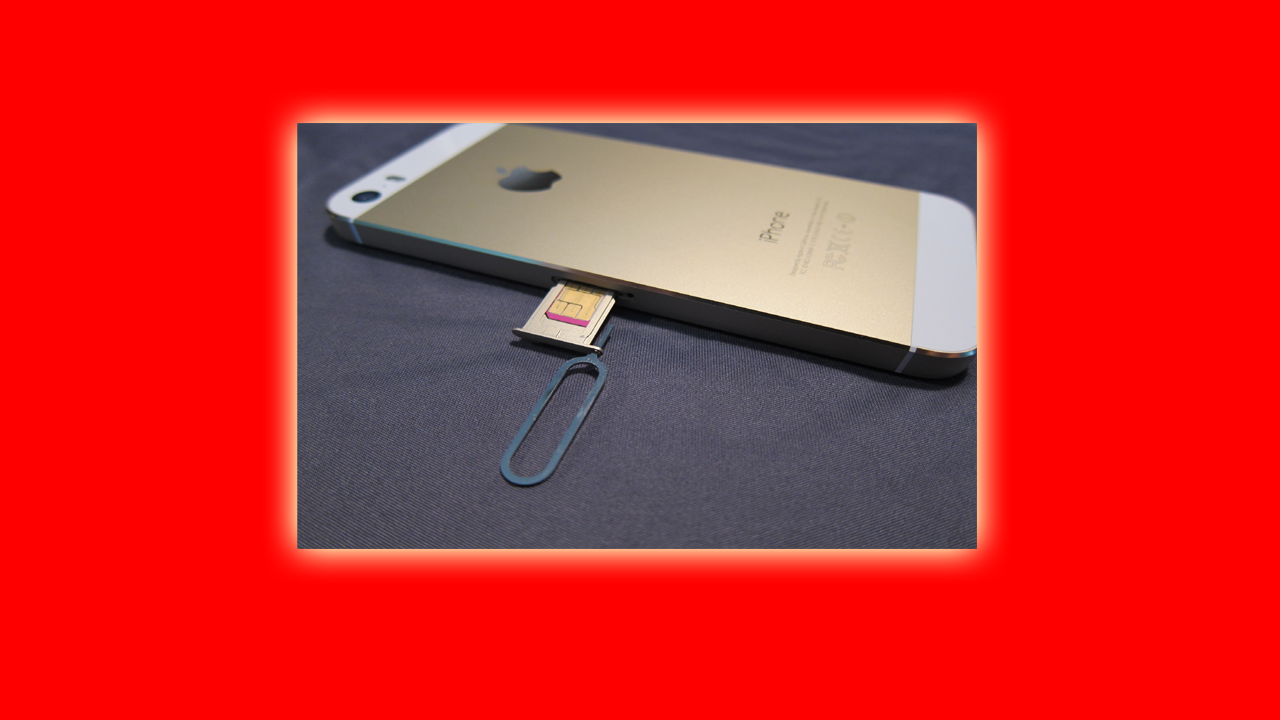
Do you know that iPhone user can't use the memory card to increase their smartphone storage? Apple iPhone doesn't have any microSD card slot to put the memory card. That means Apple doesn't want to allow its user to use a memory card in their iPhone. But, Why? Why Apple Doesn't Allow Its User to Use Memory Card on iPhone? Why iPhones Don't Have Memory Card Slots? There could be various reasons. But one of the main reasons is that the memory card actually slows the smartphone performance. You Can Also Read This Article Called Why You Should Not Use Memory Card On A Smartphone? to know why and how a memory card slows down your smartphone performance. Apple doesn't allow its user to use memory cards because Apple doesn't want to ruin its brand value because of a slow memory card. Memory cards actually have read/write speeds. Memory cards with low read/write speed are cheap, and the high read/write speed of memory cards is expensive. People mostly buy a cheap m...

LG Stops Making Smartphone

Image
  LG is one of the most popular brands in the world. They have made a lot of electrical items and gadgets including TVs, Smartphone, AC, etc. Among all the gadgets LG is going to stop making Smartphones. LG had made smartphones for a long time. They had made lots of experimental and innovative phones. Why LG Stops Making Smartphone? On their official website, LG said that They will stop making smartphones and start focusing more on making and experimenting on Electric Vehicle Components, Artificial Intelligence, IoT, and their other services. Another reason can be their Smartphone marketing. LG had never marketed their smartphone properly. LG had made lots of good smartphones. But, many people don't know about it that causes the loss to the company. That can be the reason why LG Stops Making smartphones. Will LG Smartphone Get Software Updates and Other Services? LG said that they will provide Software Updates and other services for a while. So, If you have an LG smartphone then yo...

5 Useful Hidden Software in Windows 10

Image
 If you use Windows 10 and haven't used these hidden computer programs then what are you doing. Below I have mentioned 5 useful Windows 10 hidden software/programs. 1.Snipping Tool Snipping Tool is a program that helps you to capture your computer screen. You can use this to capture or take a screenshot of your computer screen.    2.Steps Recorder Steps Recorder is a program that helps you to record the steps you did on your computer screen. You can use this program to help someone by sending the solution to the problem by recording the steps.   3.Magnifier Magnifier is a program that will help you to magnify your computer screen. You can zoom in and zoom out your computer screen. You can even use the shortcut key Win+ "+ or -" to do it. 4.On-Screen Keyboard On-Screen Keyboard will open a keyboard on the screen and you can use On-Screen Keyboard using Your Mouse or touchpad.  5.Narrator The narrator is a program that reads and narrates the text and b...

12 Useful Shortcut Keys Chrome, Firefox and Opera Browser

Image
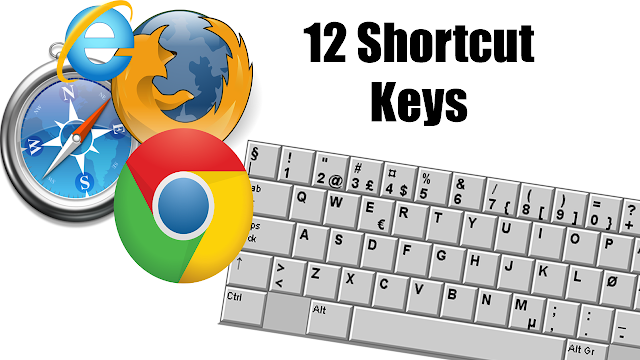
  To use the Internet, we mostly use a web browser like Google Chrome, Firefox, Opera, etc. right. Here in this article, you will know some shortcut keys for using a Web browser like a pro. 1.Ctrl+N It will help you to open New Browsing Window. 2.Ctrl+T It will help you to open New Tab on The Browser. 3.Ctrl+Shift+T or Ctrl+Shift+P It will help you to open Incognito or Private Mode on the Browser. 4.Ctrl+W It will help you to close the open tab on the browser. 5.Ctrl+1 or 2 or 3 and so on. If you press Ctrl+ Number then you can switch between the tab. Ctrl+1 will take you to the first tab of the browser. Similarly, Ctrl+7 will take you to the seventh tab of the browser and so on. 6.Ctrl+Tab It will help you to switch between the open tab on the browser sequentially. 7.Ctrl+Shift+T It will help you to reopen the recently closed tab. This is one of the useful shortcut keys. 8.Ctrl+Link If you press Ctrl and click on any link on the browser using a mouse, it will open that link in a n...

What Happens If You Put a Pendrive in a Charger?

Image
   Did you ever try or wonder what will happen if you connect the pen drive to the charger? Will it blast? Will the Pendrive damage? On the USB port, there are 4 pins . 2 pins are for sending electricity/power, and the remaining 2 pins are for sending and receiving data.  In the charger USB connector, there are only 2 pins that are used for the electric power supply. That means if you connect any USB port on the charger the electric power will only pass. Nothing is going to happen. What Happens If You Put a Pendrive in a Charger? Nothing is going to happen if you put a Pendrive in a charger. Because the charger has only 2 pins for the electric power supply. If your Pendrive has light then it will blink other than nothing is going to happen. Should I Connect Pendrive in a Charger? No. Although nothing is going to happen. But, why put Pendrive on a charger.   I  hope this was helpful. Don't Forget To Give Us Your Feedback:)

Never Use Free WIFI | Is Free Wifi Safe?

Image
  We are living in the Internet era. Everyone is connected to the internet through Wi-Fi or Mobile Data. You will also get lots of free Wi-Fi in your area. Should You Use that free Wi-Fi? Should I Use Free or Public Wi-Fi? No, cause your browsing history can be monitored by the Wi-Fi owner. The Wifi owner can track your login details if you are visiting any HTTP site.   Whenever you visit any site you will see two things before every website URL. That is HTTP or HTTPS.  HTTP If you are visiting an HTTP site never use Public or Free Wifi because your login data, browsing data can be easily tracked. HTTPS If you are visiting an HTTPS site then it is a little bit safe because it is an encrypted site. But, the Free Wi-fi owner can track which website did you visit. ( Click Here, And Read The Second Point To Know It In Detail ) In conclusion , Never use free Wi-Fi anywhere . Instead of it, you should use secure Wi-Fi provided by ISP, the trusted Wi-Fi network of hotel, restaur...

$400 vs $1000 Phones | Midrange vs Flagship Phones | Which One is Better?

Image
   In the market, you will get the smartphone at a different price range. Some smartphones cost $300-400, some of them cost $1000+. At what price should you buy a smartphone. Should you buy a $400 Mid-range phone or a $1000+ Flagship phone. Flagship vs Midrange   Flagship   Flagship phones are the best phone in the market. It has the best camera, best processor, best battery life, best user experience, and everything best.  Midrange Phone Whereas, a Midrange phone is best at some specific features like a best Camera Mid-range phone, best battery life mid-range phone, etc, or all features with low performance. Which One is Best Flagship or Midrange? Depends. If your budget is high and if you want all the cool, latest features on your smartphone then you should go for a flagship phone. But, if your budget is low, and want one feature to be good then you should go for a mid-range phone. BTW, If you ask me ( Rohit Shah ), I will go for a Flagship Phone. I hope this...

Top 5 Computer Hacks And Tricks

Image
   In this post, I will be sharing the top 5 computer tricks and hacks that you must use on your computer. Those hacks and tricks are: Changing Password Without Entering Current Password Not kidding, You can change your computer password without entering your current computer password. To do so, You need to follow the following steps: STEP 1: Open CMD STEP 2: Type "Net User 'Administration Name' 'Password' " STEP 3: Hit Enter Now your computer password is changed. ( Click Here, To Know It in Detail ) Use ALT+F4 key to shutdown computer quickly Normally, people use their mouse to shut down the computer. If you want to shut down your computer quickly then you must use the key combination called ALT+F4+Enter Key to shut your computer quickly. You can also close your opened program using this shortcut key. Make Your Computer Fast If your computer is running slowly. It took lots of time to open a general app. Then, you must Restart your computer right now.  Res...

5 Cool Smartphone Hacks

Image
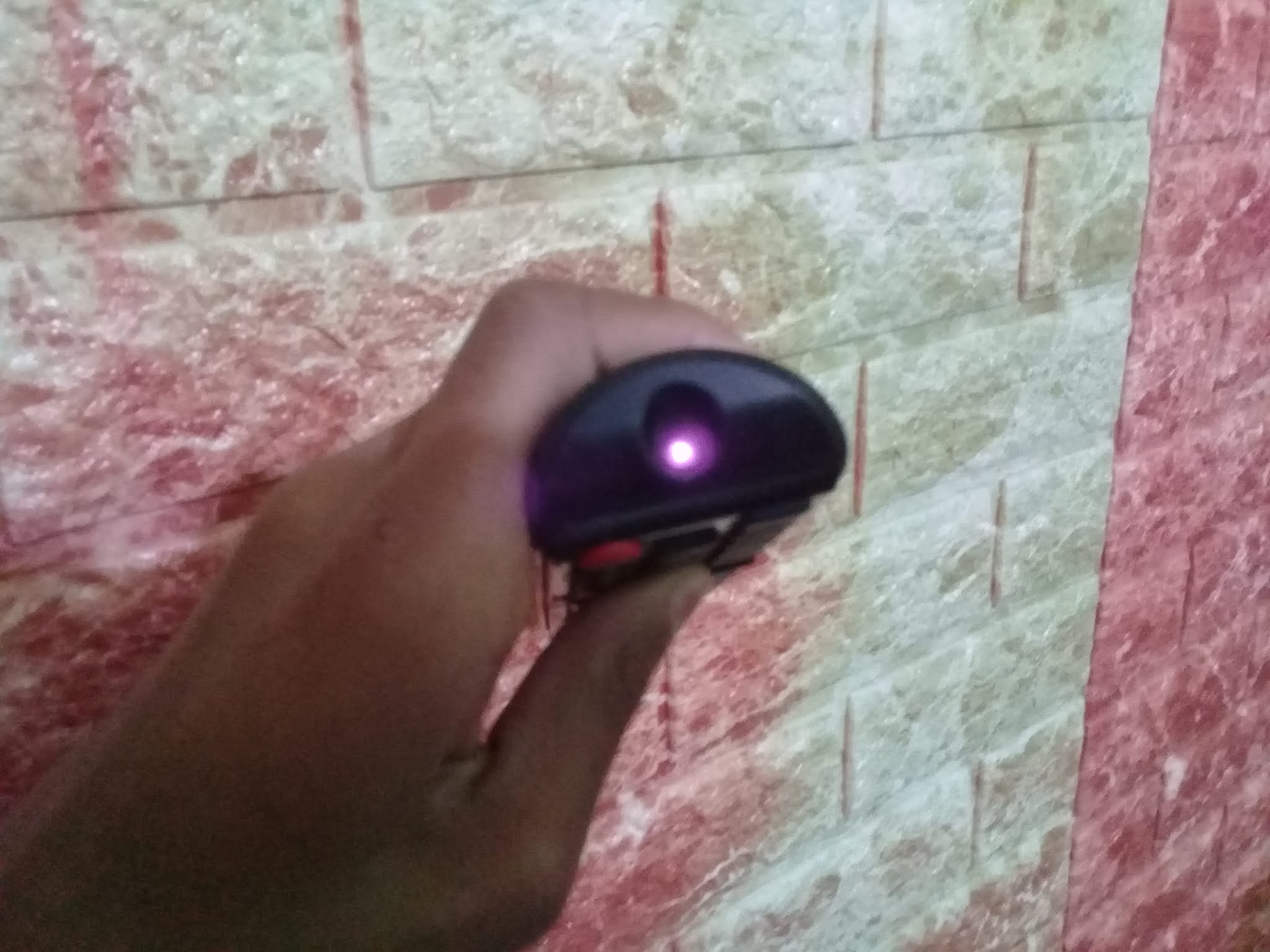
A smartphone is a great gadget ever made. In this post, I will share some smartphone hacks or tricks with you. They are: Check Remote Battery Life If you want to check your TV, AC, or other Remote battery life. Then, Open Smartphone Camera App Point Remote IR Emitter to the Camera Click any button of a Remote.  If the light blinks then your remote battery condition is good and if it doesn't blinks then buy a new battery for it. Charge Phone Faster If you want to charge your smartphone faster then you just need to do one thing. That is turn On Airplane Mode while charging your smartphone. Airplane Mode disables all the Settings like Wi-fi, Bluetooth, Phone Network, etc. that decrease the consumption of battery power. Save Your Smartphone Battery If you want to save your smartphone battery start using dark wallpaper and dark themes. If you have an AMOLED screen then you must do it to save your smartphone battery life because AMOLED screens consume less power while displaying a black ...

Trending Posts

5 Awesome Computer Shortcut Key Tricks You Must Try

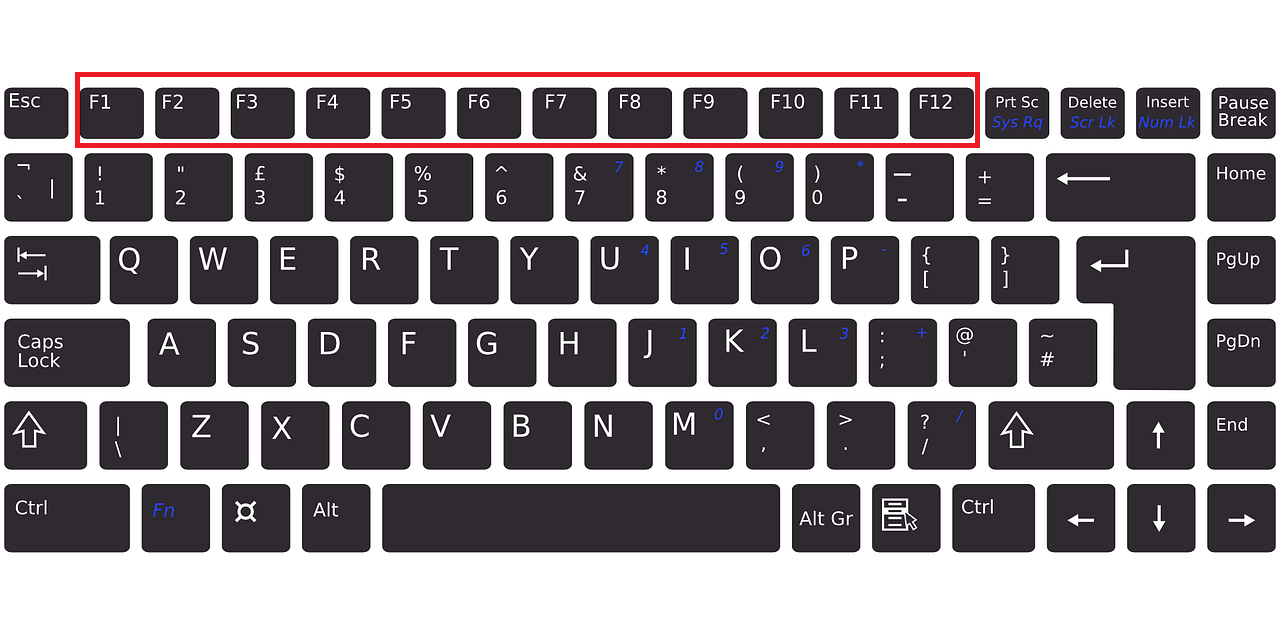
What Are The Use of Function Keys F1 to F12 on The Keyboard?

Build a Simple Calculator Using HTML, CSS, and JavaScript 💻

🚀 Build a QR Code Generator Using HTML, CSS & JavaScript

Computer Memory Measurement Units Chart

5 Websites For Photo And Video Editors

Why To Use Incognito Mode?

How To Create A Semi-circle Using Only HTML and CSS?

Easy Light Bulb Project: HTML, CSS, and JavaScript

Build a Modern Gradient Calculator Using HTML, CSS, and JavaScript