Posts

Showing posts with the label Computer

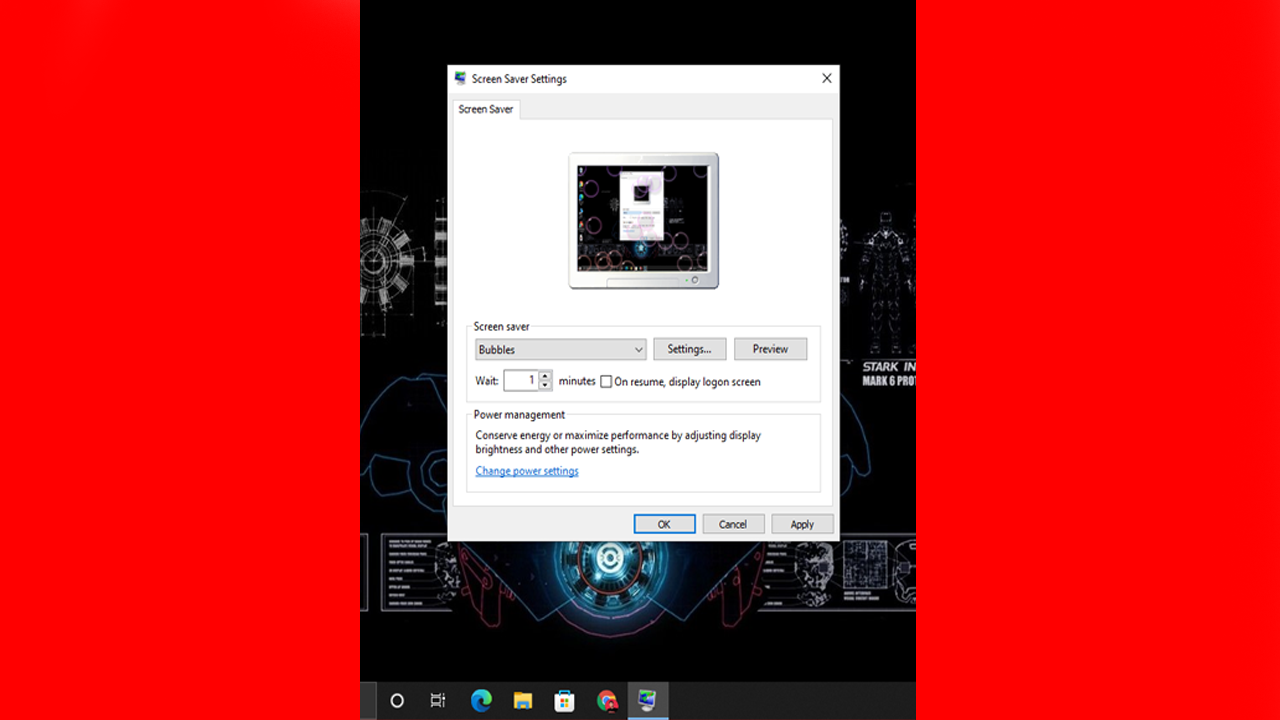
What is The Use Of Screensaver On The Computer?
Image
We all have once tried to play with screensaver program in windows computer for fun or maybe for other reason. But, have you ever asked yourself, what is a screensaver and what is its use? Everyone might know about it, but many people don't know its use. What is Screensaver On The Computer? Screensaver is a computer program that displays the moving image, text, patterns, object, or blank screen when the user leaves their computer for a while or when the computer is not in use. What is the Use of Screensaver Program? Initially, the screensaver program was used to protect the CRT monitor from the screen burning problem. In the back days, computer monitor technology wasn't advanced as it is now. CRT monitor screen used to easily burn when the same image is being displayed for a while. To stop this screen burning or screen ghost problem, a screensaver program was made. The screensaver program displays the moving image or pattern on the screen when the user stops using their compute...

Computer Memory Measurement Units Chart

Image
A memory unit is a component that is used to store data in the computer. The memory unit can be measured in different units like: Bit Nibble Byte KiloByte MegaByte GigaByte TeraByte PetaByte ExaByte ZettaByte YottaByte Computer Memory Unit Measurement Chart 0 or 1 1 Bit(Binary Digit) 4 Bits 1 Nibble 8 Bits 1 Byte 1024 Bytes 1 KB(MegaByte) 1024 KB 1 MB(MegaByte) 1024 MB 1 GB(GigaByte) 1024 GB 1 TB(TeraByte) 1024 TB 1 PB(PetaByte) 1024 PB 1 EB(ExaByte) 1024 EB 1 ZB(ZettaByte) 1024 ZB 1 YB(YottaByte)

What is ROM? | Types of ROM

Image
ROM is a non-volatile primary storage device that is used to store data permanently. It stands for Read Only Memory. It is non-volatile because the data stored in ROM remain there even after no power supply. ROM is usually used to store firmware. If you have ever installed Operating System, then you might know about BIOS. Software like BIOS is called firmware. This software is installed on ROM to give control of hardware to the user. You can find ROM on many devices like smartphones, laptops, desktop computers, cameras, tablets, etc. Types Of ROM(Read Only Memory) There are usually three types of ROM. They are: PROM, EPROM, and EEPROM. PROM(Programmable Read Only Memory) PROM stands for Programmable Read Only Memory. In PROM, once the program is programmed and stored, it can't be changed. For example: BIOS software. EPROM(Erasable Programmable Read Only Memory) EPROM stands for Erasable Programmable Read Only Memory. In EPROM, reprogramming is possible. But to erase the data from E...

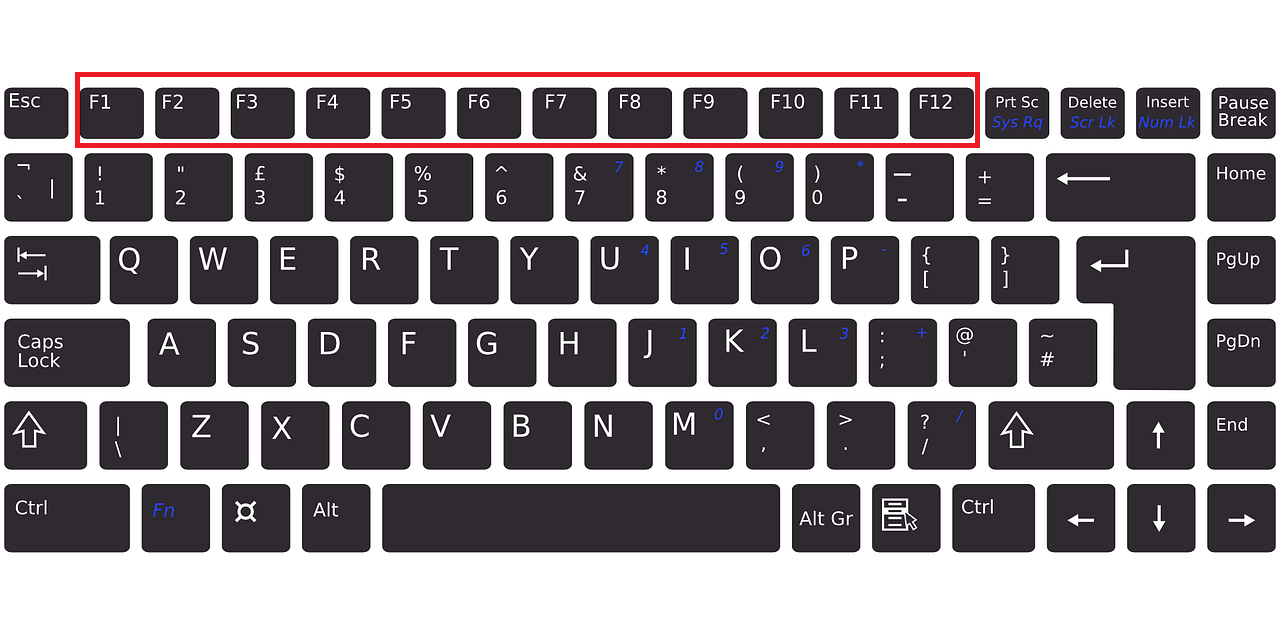
What Are The Use of Function Keys F1 to F12 on The Keyboard?

Image
On your Computer Keyboard or Laptop keyboard, you always see F1 to F12 Function Keys, right. But, have you ever wondered what are these keys(F1 to F12) and their uses are? What are Function Keys? Function Keys are the keys that are on the top of the keyboard from F1 to F12 for performing different functions that make the use of the computer ease. Like for example, Function Key can be used to Refresh/Reload webpage or computer, saving the file, closing the window, etc. To Use Function Key On Laptop, you should press function keys with the 'fn' key which is on the bottom of your keyboard. What are the Uses of F1 To F12 Function Key? F1 Key: The F1 key is used to open the Help Center of the Application. For example, if you press the F1 key while using Chrome Browser, Google Chrome Help Center will open. F2 Key: The F2 key is used to Rename the file or folder on the computer quickly. Usually, to rename a file/folder, you right-click on it and click on rename to change its name, rig...

Can A Computer Virus Affect Hardware?

Image
Computer viruses are harmful programs that destroy, steal, manipulate the computer system. But, can a computer virus destroy the computer hardware? Like, it is a program that uses the computer hardware to run, right. Well, the answer might be or is no. Can A Computer Virus Affect Computer Hardware? No, basically. A computer virus is just a computer program written in code lines. It does the same thing that other computer programs do while in use. Like it uses a processor, RAM, storage for processing, and storing data. And with today's powerful computer hardware it is impossible for a virus to destroy or harm the computer hardware. Computer viruses usually manipulate the software, steal the data, crash the operating system. But, it doesn't destroy with the hardware part. But, there can be one scenario. It can indirectly damage your computer hardware like for example, a computer virus can turn off the CPU fans which will increase the heat and will damage your processor. But, it i...

6 Things You Should Never Do To Your Computer

Image
If you use a desktop computer or laptop then you must not do these mistakes. These 6 mistakes mentioned here can decrease the life span and performance of your computer. Deleting System File For Storage If you are one of them who Delete system files from the Main Local Disk(C:) storage to install another game or any program then you are the most stupid person in the world. Deleting the system file is like removing the internal part of the body. If you delete the system file(Operating System Files) then your computer can crash and will show a lot of errors. So, never Delete the System File of your computer for storage. Visiting Random Website From Your Computer If you visit lots of websites on the Internet and don't use any Antivirus, then, you must not browse the Internet or install an Antivirus. Thousands of websites are ready to collect all your personal data. And your data can be used to show you advertisements or to sell others. And if you visit the malicious website, then your...

What Are The Advantages Of The Apple Macbook Over Other Laptops? | Why Should You Buy Apple Macbook?

Image
Apple Macbook is really popular in the laptop market. But, is it worth buying it. Why should we buy Apple Macbook Over Other Laptops? What are the advantages of Using the Apple Macbook? What Are The Advantages Of The Apple Macbook Over Other Laptops? There are a lot of reasons for buying an Apple Macbook over other laptops. They are: Apple Macbook has Best Build Quality Apple spends a lot of money, time, and research on the build quality of the Apple Macbook. Macbooks are one of the best laptops in the term of design and quality. Apple Macbook has Long Lasting Battery Life Than Other Laptops Apple Macbook can easily beat most of the laptops in the market when it comes to the usage of laptops for a long time. MacBook battery can easily last up to 8+ hours. Most of the laptops in the market last only 2-3 hours which is 2-4 times less than Apple Macbook. Apple Macbook Is Cheap For Long Term Usage When it comes to long-term use, many laptops fail. Many laptops in the market become slow ove...

How To Become A Hacker?

Image
Hacking is a technique to break the security of the computer program and gain access to all the information inside the computer program, and the person who does it is known as Hacker. In today's Internet era, there are lots of talented hackers in the world. Lots of ethical hackers are doing legal jobs in tech and other companies. Lots of black hats hackers are doing legal work. But, the thing is that they are hacking the computer system. But, how? How do they hack computer systems? How they become a hacker? How you can become a hacker? How To Become A Hacker? To become a hacker, you need to do and learn lots of things passionately and spend your time learning them. Without dedication to learning, you cannot become a hacker because hackers are good learners. They have spent their valuable time learning different computer-related kinds of stuff to become a hacker. Below I have mentioned some points that will help you to become a hacker. Become a Computer Expert To Become a Hacker All...

What Happens If I Don't Update Windows 10? | Is It Necessary To Update Operating System?

Image
Updating operating systems like Windows 10 can be irritating things for most people. Many people never update their operating systems like Windows 10, Android, iOS, and others which is one of the worst things to do. You should never ignore any updates because those updates are very important. It is very necessary to update your operating systems to get different benefits from the Operating System provided by different companies like Windows from Microsoft, Android from Google, iOS from Apple, and others. What Happen If I Don't Update Windows 10 Operating Systems? Various things will happen If you don't update Windows 10 and other operating systems. Some of the things that will happen are: You Will Not Get Any New Features If You Don't Update Windows 10 So often, software companies add new features to their products. They always introduce a new feature for their operating system like Microsoft does for Windows 10. They add new features over a long time and provide those new ...

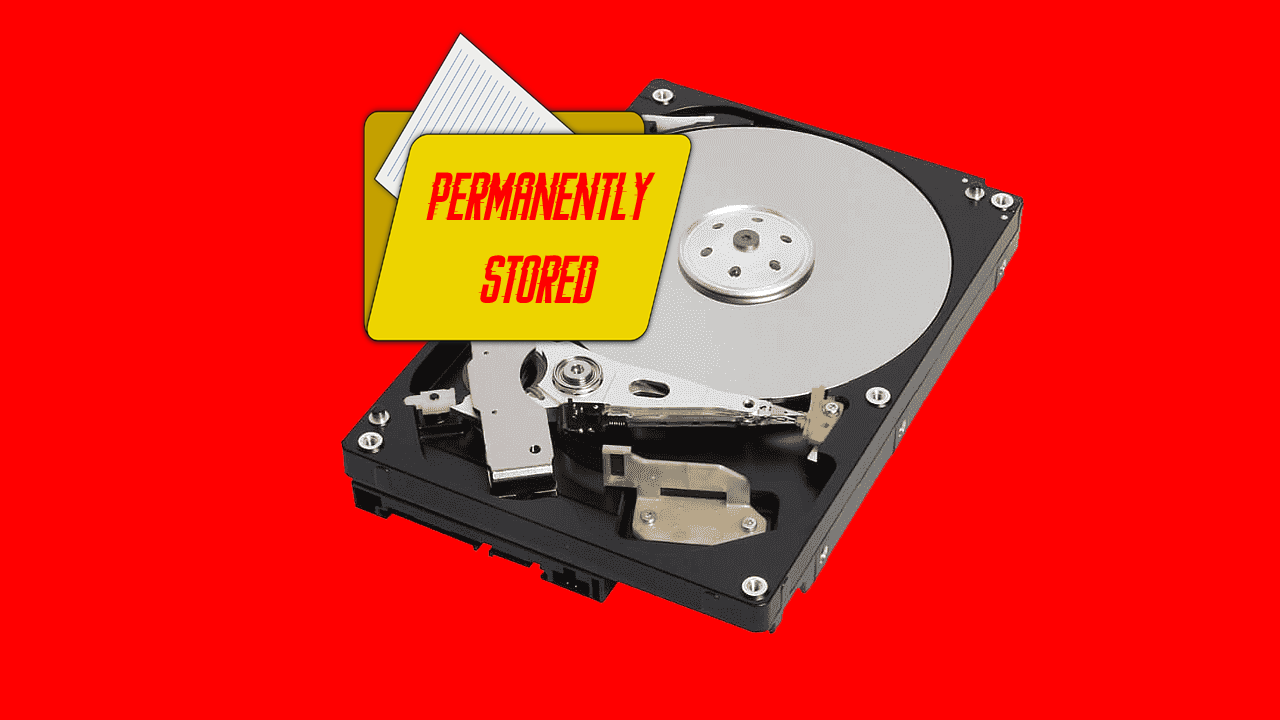
Why You Cannot Delete Files/Data Permanently From Harddisk, SSD, Pendrive, and Other Storage Devices?

Image
If you think you have deleted any file/data from your computer, and it is deleted or erased permanently then you are wrong. You cannot delete any file and data permanently by just deleting it. It sounds confusing, right. But, don't worry, soon you will understand why you cannot delete files permanently from your storage devices like Hardisk, Pendrive, SSD, Memory Card, etc. Why You Cannot Delete File/Data Permanently From Storage Devices? In order to know why file/data cannot be deleted permanently, first, we need to understand how a file/data store in the storage device works. How the Data Stores in the Storage Device Works? Whenever you create or download a new file or copy a new file on the storage device, it shows you some storage is reserved by the file. For example, you have an 8GB Pendrive and you store 1GB of files in it. Now you will see 7/8GB free storage. And after deleting that 1GB file, it will show you 8GB free storage. But, the data is still there unless some other f...

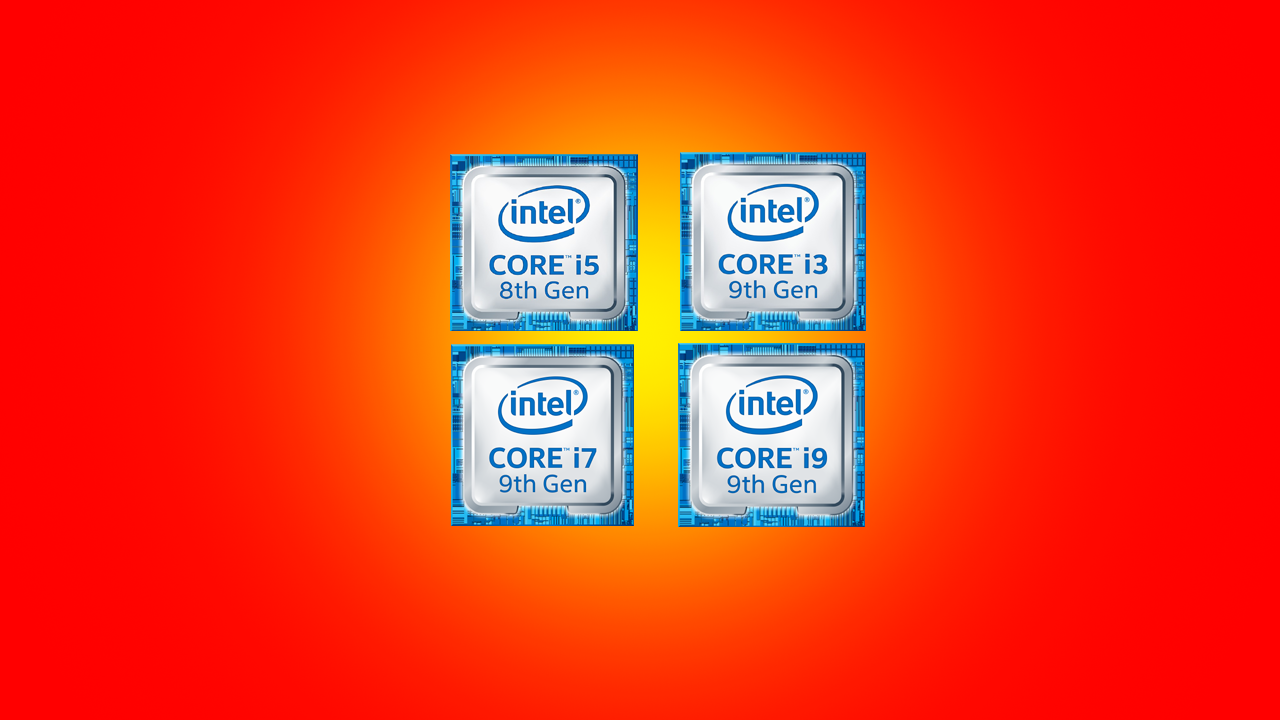
Difference Between Intel i3, i5, i7 and i9 Processor | Which One is Better To Buy?

Image
There are two big Computer Processor producers in the market. They are Intel and AMD. Here, we are going to talk about Intel i3, i5, i7, and i9 processors. These processors are really popular in the market. If someone has a computer, then there is a high possibility, they are using an intel processor. Intel makes i3, i5, i7, and i9 processors for different users. But, which Intel Processor is suitable for you, i3, i5, i7, or i9? On all intel processors, you will hear about Core and Generation. What is Core in Intel Processor? A core is a single processing unit of a Processor. Usually, processors have dual-core, quad-core, octa-core, and more to run multiple programs efficiently. A Single Core handle one part of a computer program that is running. What is Generation in Intel Processor? On Intel processor, you will see 5th gen, 7th gen, 8th gen, 9th gen, etc. What are these generations in the Intel processor? It is actually a generation of processor that tells it is an improved version o...

Why Cannot Antivirus Protect Your Computer 100%?

Image
Antivirus is a computer program that helps to detect and remove viruses from the computer. Antivirus helps a lot to protect the data of the user. But does antivirus protect the computer 100%? Does Antivirus Protect The Computer 100%? No, an antivirus program can never protect your computer 100%. Yes, it will protect your computer from most viruses and malware but not all viruses and malware. Why Cannot Antivirus Protect Your Computer 100%? Antivirus cannot protect your computer from viruses and malware because every day lots of new viruses and malware are created. Antivirus can detect only those viruses which information are already exist on the antivirus program. If a new virus is created, an antivirus cannot detect that new virus. That's why antivirus companies provide software updates so often with the new virus information on it. And you must update your antivirus computer program to be safe.   Read More Do You Really Need To Install Antivirus On Your Computer? What Happen If I...

What Happen If I Install 2 Antivirus On 1 Computer?

Image
Have you ever tried or wonder what will happen, If we Install 2 Antivirus programs on a computer. Will the computer protection increase? Will The Computer Become Unhackable? What will really happen after installing 2 Antivirus programs on a computer? What Will Happen If I Install 2 Antivirus On 1 Computer? To understand it, first of all, let's talk about what does antivirus programs do. An antivirus program scans the computer system and detects if there is any malicious file or not. While scanning a file, the antivirus checks all the entry points of a computer from where a malicious file can enter. If you download any file from the Internet or insert any external drive, the antivirus will first scan it properly and will tell you if there is any vulnerability in the file or not. While scanning the file, the antivirus program uses RAM, processor, storage and if you use a laptop then it uses battery too for sure. So an antivirus program does these things. Now If 2 antivirus is install...

Top 5 Announcement For Windows 11

Image
  So Finally, Microsoft has released their new Windows Operating System called Windows 11 on their recent Windows Event on 24 June 2021. Microsoft has announced lots of things with New Microsoft Windows 11. Some of them are: Native Android App Support Windows 11 will support Android Apps. That means you can use Android Apps on Windows 11. You can use Android App on Windows 11 through Amazon Appstore using Intel Bridge Technology. Easier Multitasking Now multitasking is going to be a lot easier than earlier windows OS. You can easily arrange opened Windows/Program with the "Snap Layouts" option. Enhanced Gaming Experience Windows 11 is going to be the best gaming operating system. On Windows 11, you will get DirectStorage API and Auto HDR for an enhanced Gaming Experience.   Free Upgrade For Windows 10 Users If you are a Windows 10 user, then you can easily upgrade to Windows 11. You don't need to pay anything. It is going to be a free upgrade. Windows 11 Updates For Every...

Why You Should Stop Using Windows 7 Right Now?

Image
  I have seen lots of people using Windows 7 and older versions of Windows operating systems like WindowsXP, Windows Vista, etc which is kind of a wrong thing for their privacy and security. If you are one of them who is using Windows 7 OS then delete it and install Windows 10 or upcoming Windows 11 on your computer.   Why You Should Stop Using Windows 7? You should stop using Windows 7 because Microsoft now doesn't support this operating system. Microsoft will never provide system and security patches updates to Windows 7 which increases the rate of vulnerability.  For example, A hacker found a security issue and vulnerability in Windows 7 and Microsoft doesn't solve the security issue of Windows 7. Now what will happen, the hacker can access your computer information easily and misused your private information because of the vulnerability.  So it is very risky to use an outdated operating system like Windows 7 which doesn't have any official security and bug fixes ...

You Must Cover Your Laptop Webcam With Tape

Image
  Have you ever seen anyone covering their laptop computer webcam with tape or Webcam Cover Slider Tool? Why do people hide or cover their Webcam? Why You Should Also Do It? Why Do People Hide Their Laptop Webcam? People do hide their laptop webcam for various reasons like they don't use Webcam often or they never use the Webcam of their laptop. And another main reason could be to be safe from hackers. Let's assume one hacker has hacked your computer and can access almost everything including Webcam, Microphone, etc. If you are inside your room and your Laptop Webcam is facing you then the hacker can record your activity. They can record a video of you sleeping, doing random stuff on your bed if you have faced your computer webcam to the bed.   Should I Hide My Laptop Webcam? Yes, you must hide your laptop webcam for security purposes. Otherwise, the hacker can blackmail you through your private activity videos. So, you must hide your laptop Webcam with tape. What Should I Do ...

Can a Computer Run Without RAM?

Image
To run a computer and smartphone, we need RAM. RAM is used to load the operating system and application in it. But, have you ever wondered what will happen if there is not any RAM inside the computer or smartphone. Can you use a Computer Without RAM? Can A Computer Run Without RAM? No, a computer will never run without RAM. If you turn on the computer without the RAM, your computer screen will be blank or BIOS firmware will open with an error called hardware missing. You cannot run a computer without RAM.  RAM is specially made for loading operating systems when you turn on the computer. RAM is different from storage devices that's why RAM is more expensive than storage devices. How Much RAM Do I Need In A Computer? How Much RAM Do I Need In A Smartphone? Why iPhones Run Smoothly With Less RAM than Android?

What is Graphics Card? Why Do We Need Graphics Card For Gaming?

Image
  If you have a gaming computer or planning to buy a gaming computer then you might hear about Graphics cards or GPU right. Why do we even need a graphics card for playing games on the computer? What is Graphics Card? Graphics Card is a hardware component also known as Video Card or GPU(Graphical Processing Unit) that helps to render/process images and videos on the screen. Why Do We Need Graphics Card For Gaming? We need a graphics card if you want to play high-resolution and heavy video games, editing and processing high-resolution videos and images, on your computer without any lag. Just like the CPU process the overall operation of the computer, GPU process the graphical(images and videos) parts to display on the monitor. What If I Don't Use Graphics Card On The Computer? If you don't use Graphics Card on the computer then you cannot play the latest and high-resolution games and videos. Without a graphics card, you can use your computer only to do normal tasks like creating...

Trending Posts

5 Awesome Computer Shortcut Key Tricks You Must Try

What Are The Use of Function Keys F1 to F12 on The Keyboard?

What is JavaScript Used For?

🚀 Build a QR Code Generator Using HTML, CSS & JavaScript

Never Accept Permissions Of The Apps Before Reading

Easy Light Bulb Project: HTML, CSS, and JavaScript

Introduction To Web Development?

Bridging the Language Divide: How Modern IT Professionals Can Make Their Work Make Sense

Build a Modern Gradient Calculator Using HTML, CSS, and JavaScript

Build a Simple Calculator Using HTML, CSS, and JavaScript 💻